

VISAGE 3

Behind every sample library lies two vital components: the samples, and the engine which makes them accessible to the user. At Versilian Studios, our pursuit of highly playable, flexible instruments has led us to create our own custom engine, now in its third iteration, VISAGE 3. VISAGE is designed as a source-agnostic engine, capable of supporting almost any kind of instrument interaction imaginable while operating within the familiar Kontakt (7+) interface.
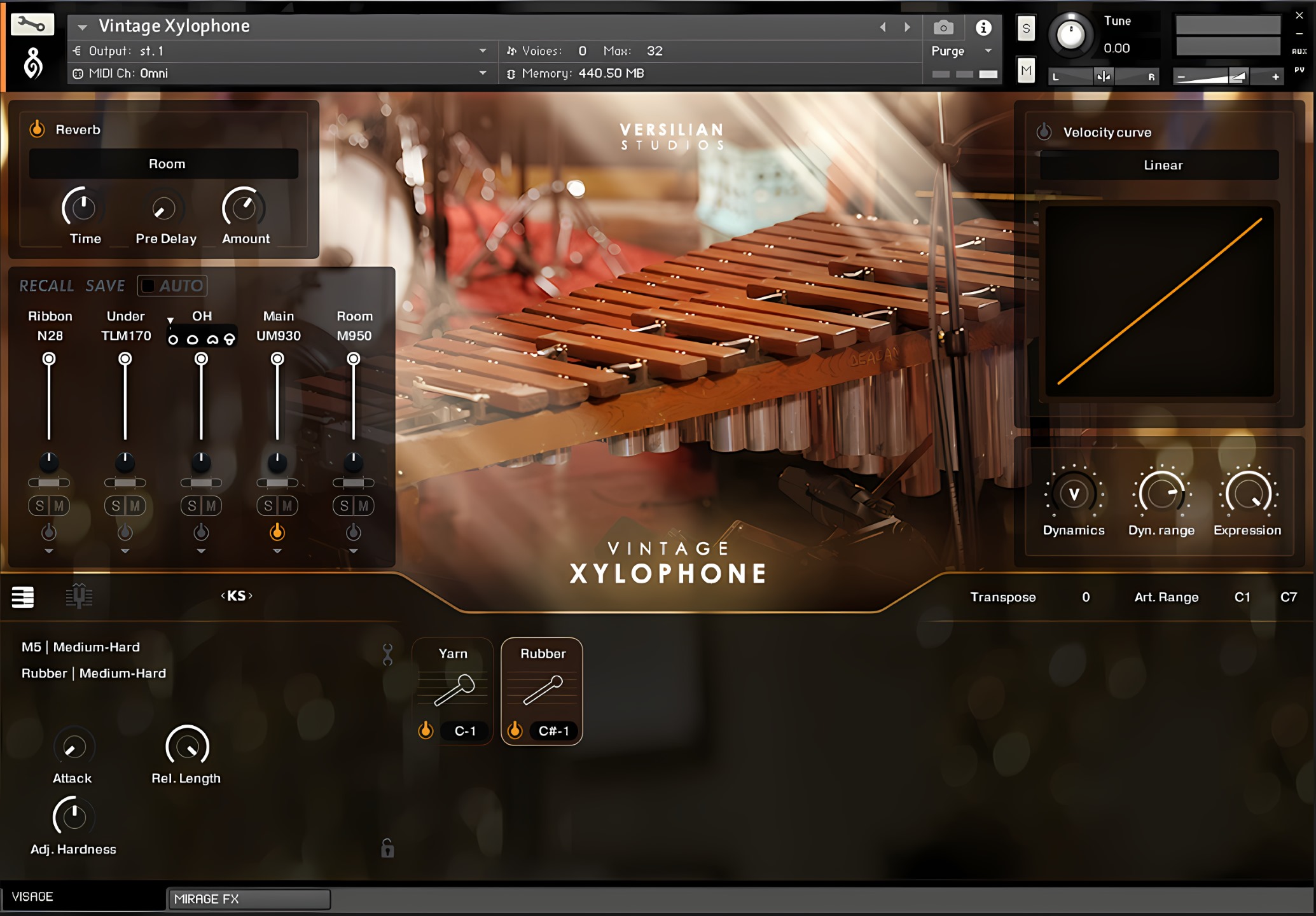
RAPID WORKFLOW
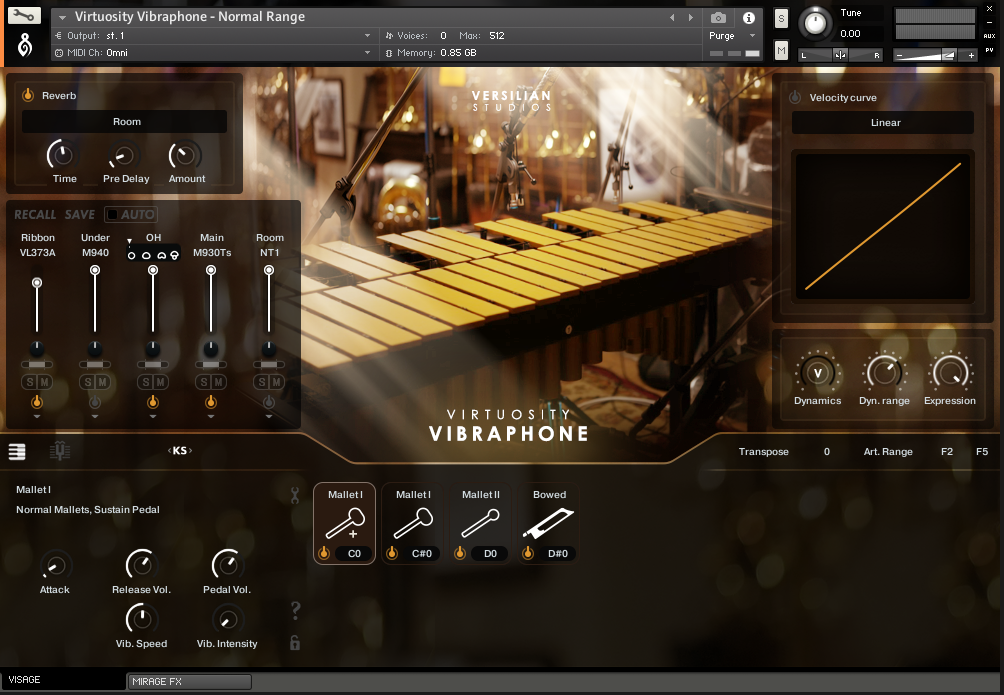
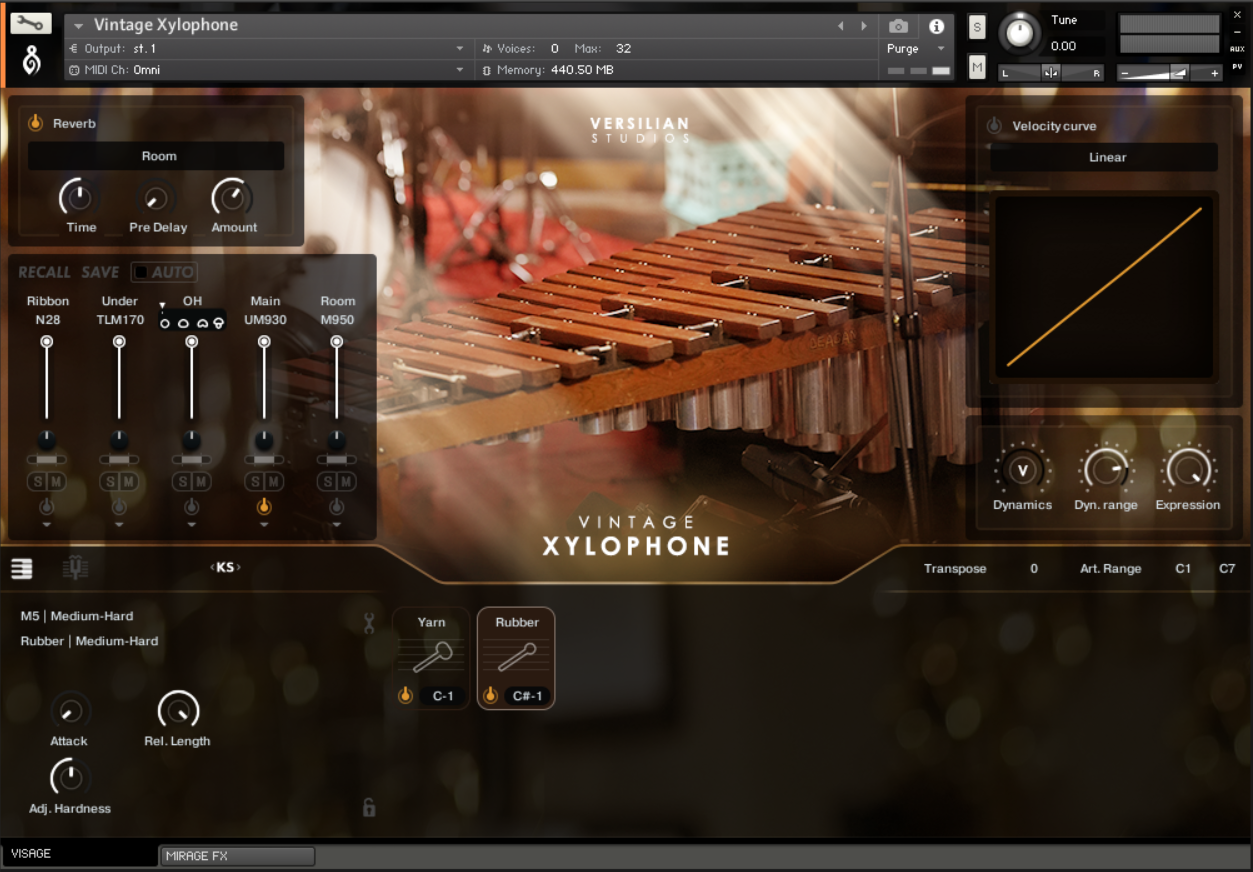
Ensuring a quick and easy working experience is essential to any virtual instrument. VISAGE 3 organizes all important performance parameters in one main window, avoiding the need for tabs or complex operations. Easily control every aspect of performance from the dynamic behavior and velocity curve to release behavior and the advanced microphone mixer all from the comfort of the home screen.
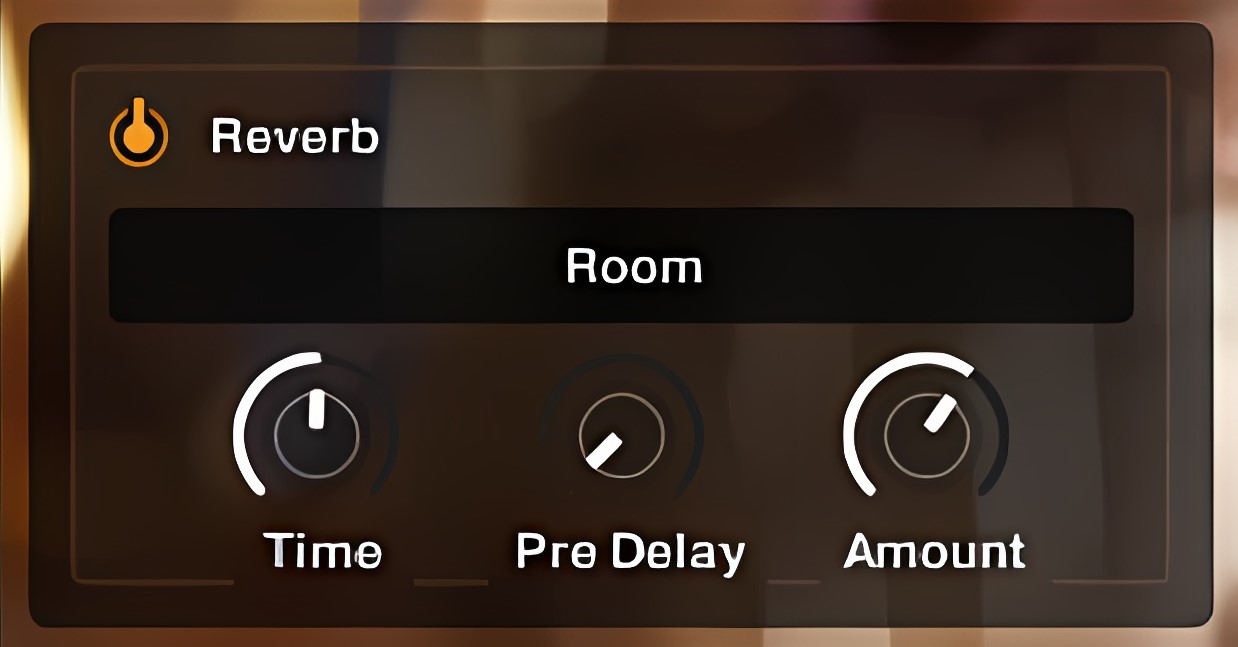
Quick Reverb
Rapidly dial in Kontakt 7’s new reverb algorithm with four easy controls without needing to visit the FX tab. Switch between Room and Hall modes, dial in Time for a larger or smaller space, adjust Pre Delay for transient clarity and a greater sensation of discrete reflections off distant walls, and tune the right amount for the patch, all with a mockup-ready reverb that requires no extra processing or bussing.
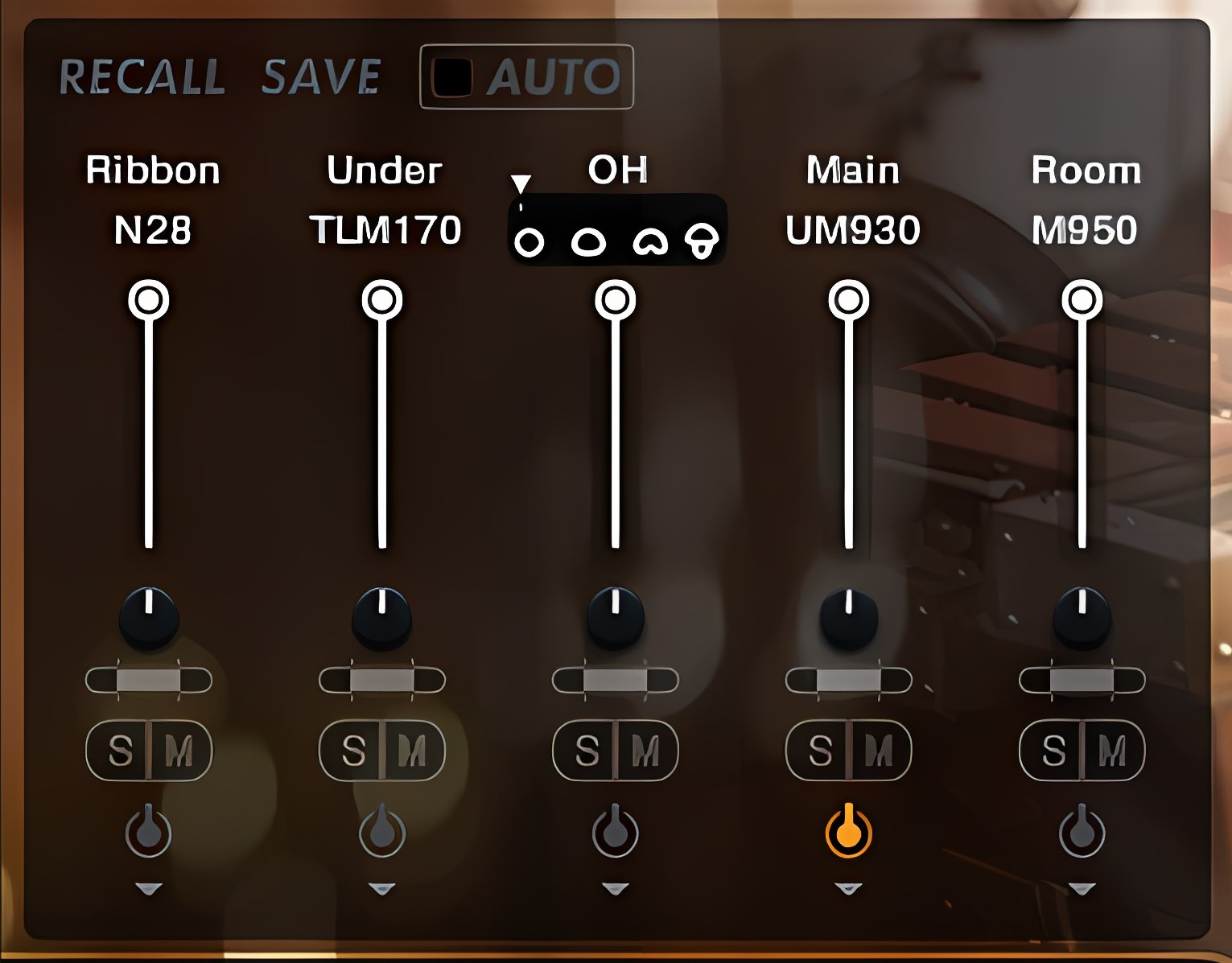
Mic Mixer
VISAGE 3’s mic mixer has all the features of a conventional mixer while enabling unique capabilities like fully variable pattern control on select mic positions, swapping between multiple sets of mics, not to mention per-position pan and width control, solo/muting, and direct integration with Kontakt’s routing for surround or discrete processing. Load and purge mics as needed to preserve RAM.
Our special Recall system lets you save and recall a mix across multiple instruments from the same library. Simply dial in your mix on one instrument, double-click ‘SAVE’, then in the other instruments click ‘RECALL’. If you check Auto when saving, changes will propagate each time you load instruments from the library OR reinitialize patches (“!” button in Kontakt).
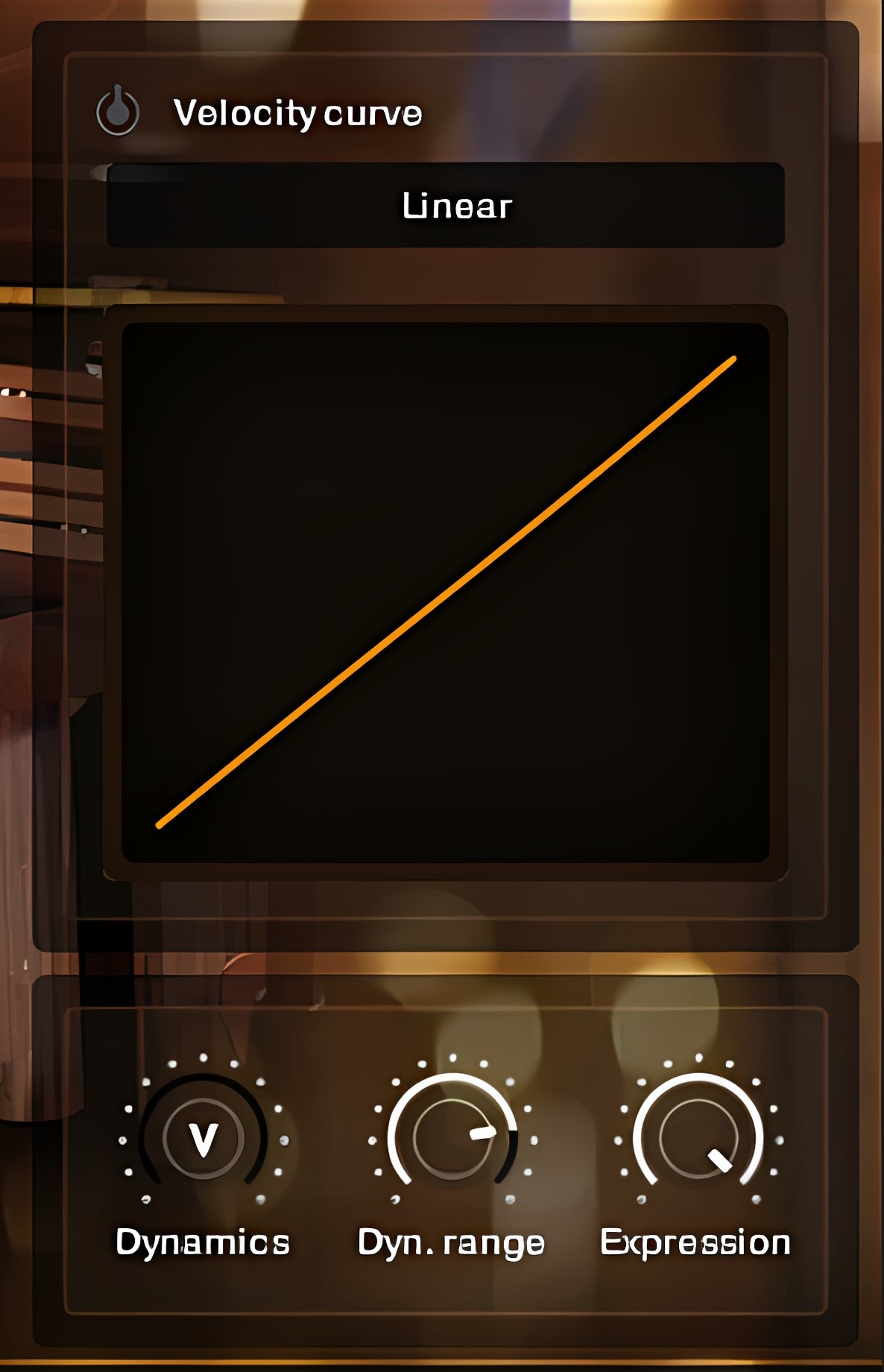
Dynamic Control
Adjust every instrument to your playing preference with complete control over dynamic range and the velocity curve, dramatically changing the feel and sound of the instrument.
Velocity curve allows you to adjust how your instrument responds to the velocity input of your keyboard. Select a curve from Linear, S, and Fixed. This is helpful if you want to play more softly or aggressively with greater consistency, or to make changes to the sound character without adjusting your sequence.
- Dynamics controls the volume of sound within the gamut of Dynamic Range.
- Dyn.(amic) Range is the total gamut (dB) from the highest to lowest velocity.
- Expression provides an additional CC-tied gain control for balancing/mixing use.
View live feedback of Mod or Velocity and Expression inputs dynamically depending on the type of patch.
Beneath the dynamic controls, you can transpose the entire instrument up to +/- 24 semitones or restrict/expand the playable area of each articulation.
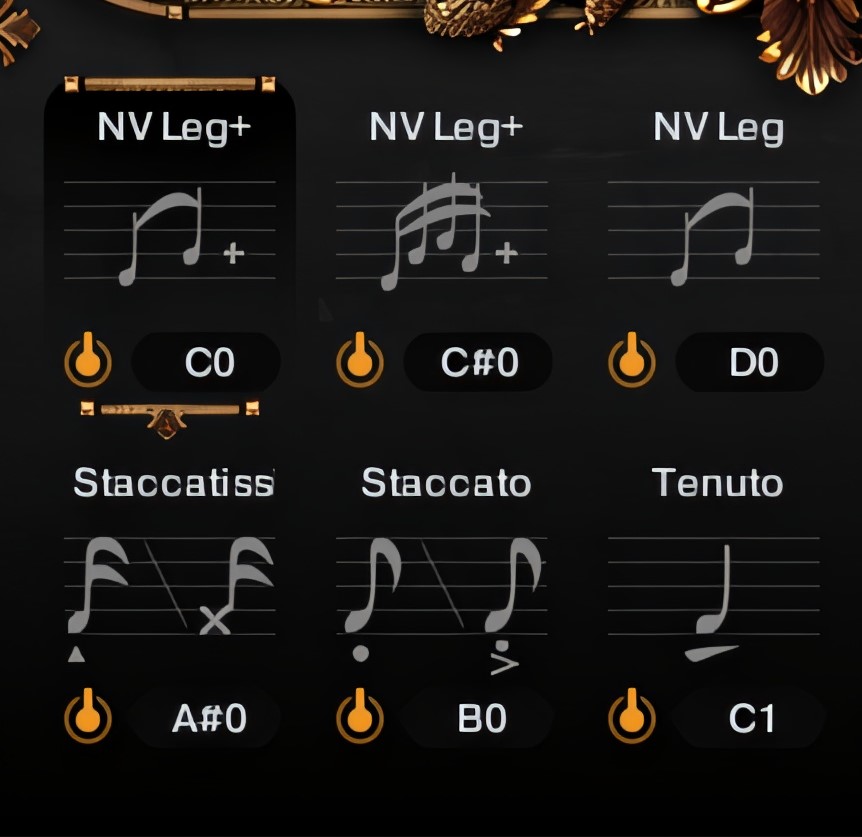
Articulation Palette
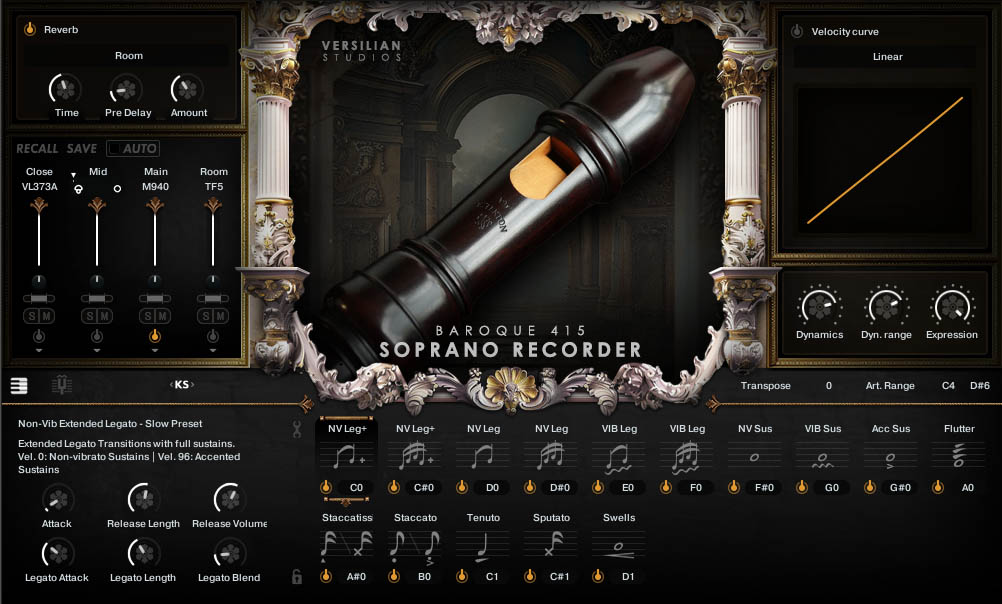
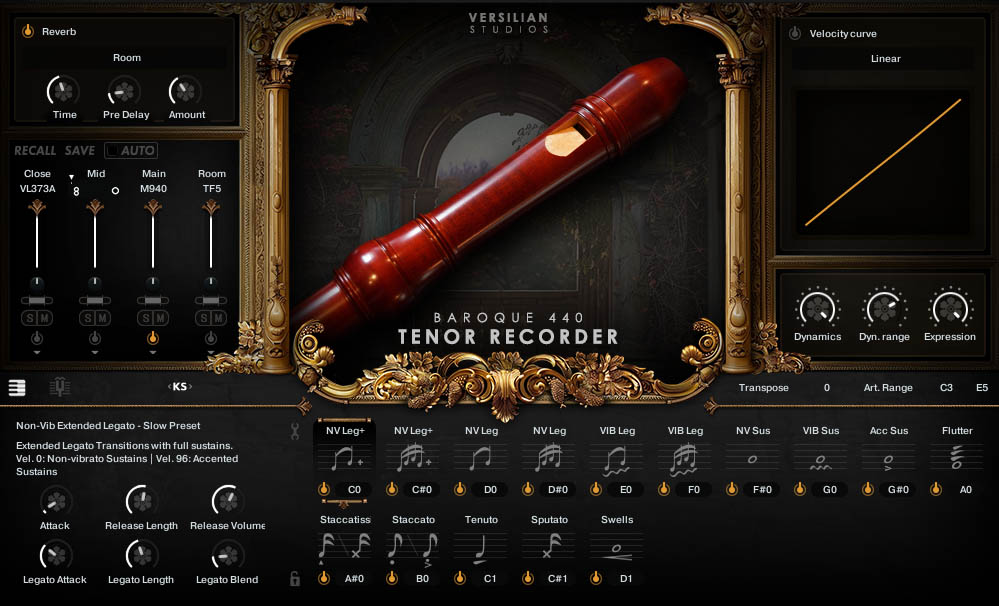
Quickly swap between articulations using keyswitches (KS) or by clicking on the icons in the palette. Disable articulations not needed to dynamically purge unused samples and save memory, or lock the current selected articulation to avoid accidental KS presses. VISAGE 3 dynamically shows the correct KS for each articulation, even if the range is moved.
Instruments with legato often include multiple preset articulations optimized for fast and slow playing. Use the articulation adjustment panel to tweak these to taste.
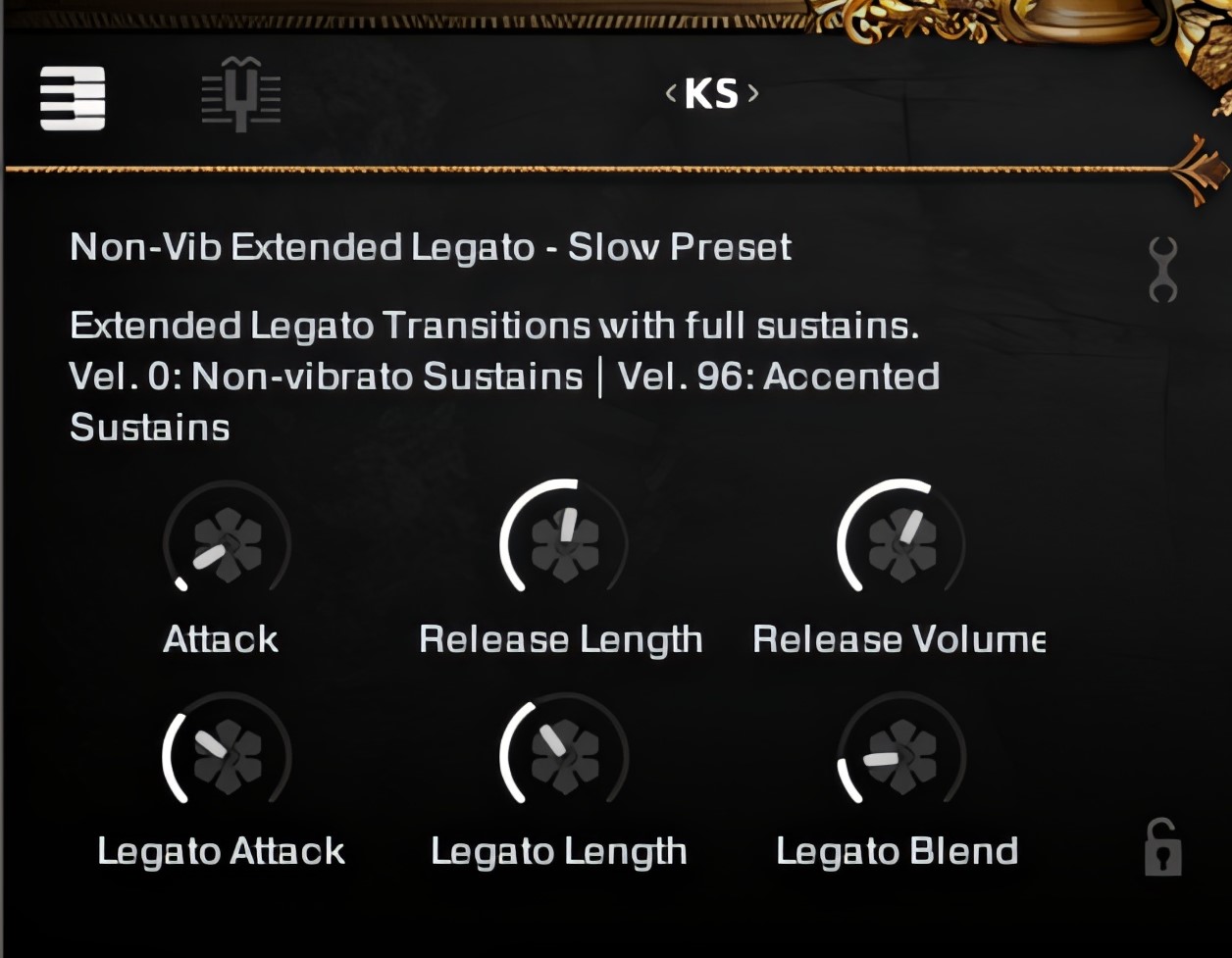
Articulation Adjustments
Each and every articulation has unique controls available in the lower left corner, allowing you to fine tune everything from the behavior of recorder legatos to releases and mechanical noises of a harpsichord. Limit the ranges of certain articulations using the articulation range control.
Access additional capabilities (wrench icon in top right) or lock the currently selected articulation to avoid accidental keyswitch presses (lock icon in bottom right).
At the top of this area, you can access the Tuning & Temperaments tab (tuning fork icon). Use the <KS> slider to move the keyswitch area around the keyboard to a more convenient location.
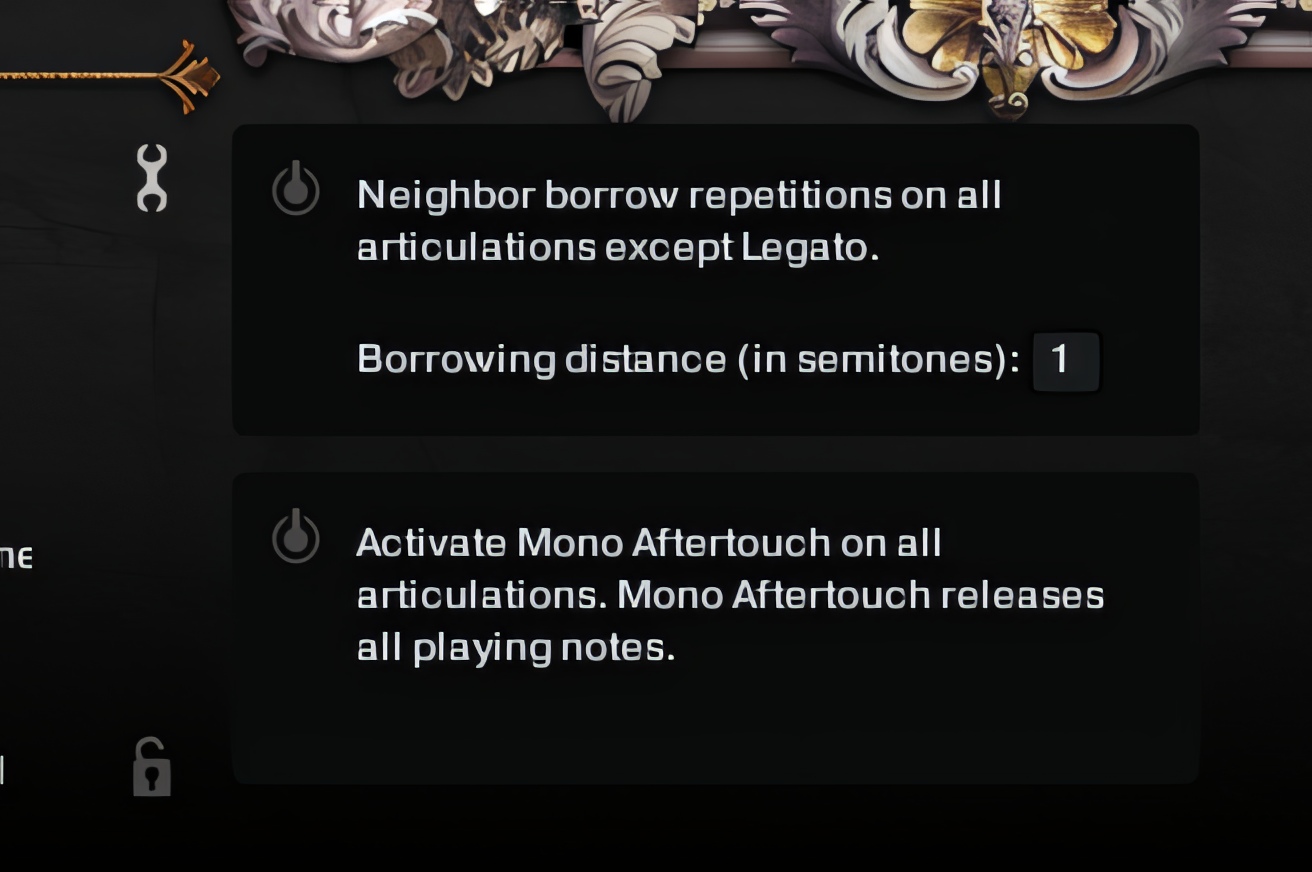
Advanced Options
Accessible through the wrench icon, neighbor-borrowing round robins are available across entire instruments (excluding legato) to increase variation.
Monophonic Aftertouch can also be used to mute notes, which some users may find more enjoyable when playing instruments like harps with the sustain pedal down.
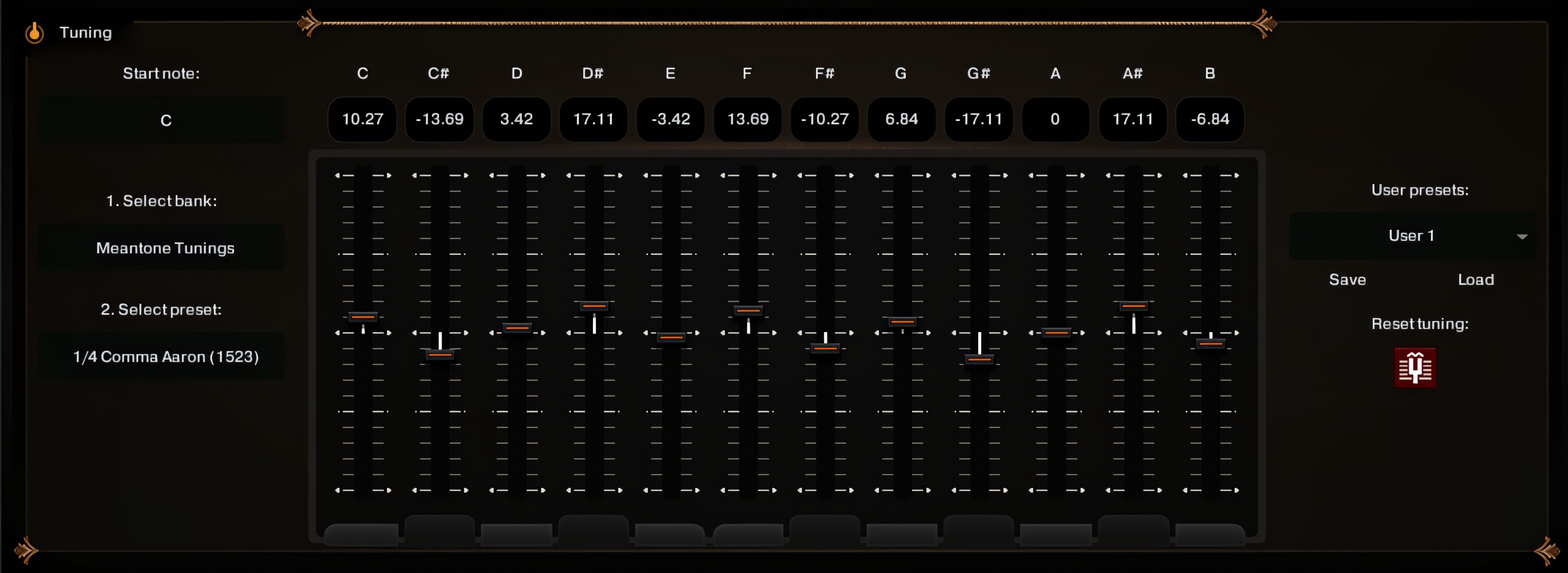
Tuning & Temperaments
Alternatives to Equal Temperament such as Meantone and “Well” unlock the harmonic purity of woodwinds, brass, and strings and the forgotten contrast of key color. Access a list of 29 of the most influential and inspiring temperaments and tunings from 500 years of history, or implement your own using sliders or entry in cents. Save and retrieve your own user presets for later use across products.
Meantone
1/4 Comma Aaron (1523)
2/7 Comma Zarlino (1558)
1/5 Comma Holden (1694)
1/6 Comma Silbermann (1714)
1/7 Comma Romieu (1755)
D’Alembert Modified (1752)
Britannica Modified (1797)
Fisher Modified (1818)
George Secor #3 (1975)
“Well”
Werckmeister III (1691)
Rousseau Equal Beating (1768)
Kirnberger (1771)
“Handel” (1780)
Vallotti (1781)
Young (1799)
Broadwood (1885)
Kellner Bach (1978)
Equal & Quasi-Equal
Modern Equal (Default)
Neidhardt Pythag (1732)*
Graupner Quasi (1819)
Viennese/Hummel (1829)
Broadwood Quasi (1885)
Pyle Equal Beating (1906)
*Not ET but offers a curious alternative
Other
Grammateus Pythagorean (1518)
Merrick Melodic Quasi (1811)
De Morgan Unequal (1843)
De Morgan Alt Equal (1858)
Wendell Synchonous (2002)
Jorgensen Ideal Well (2002)
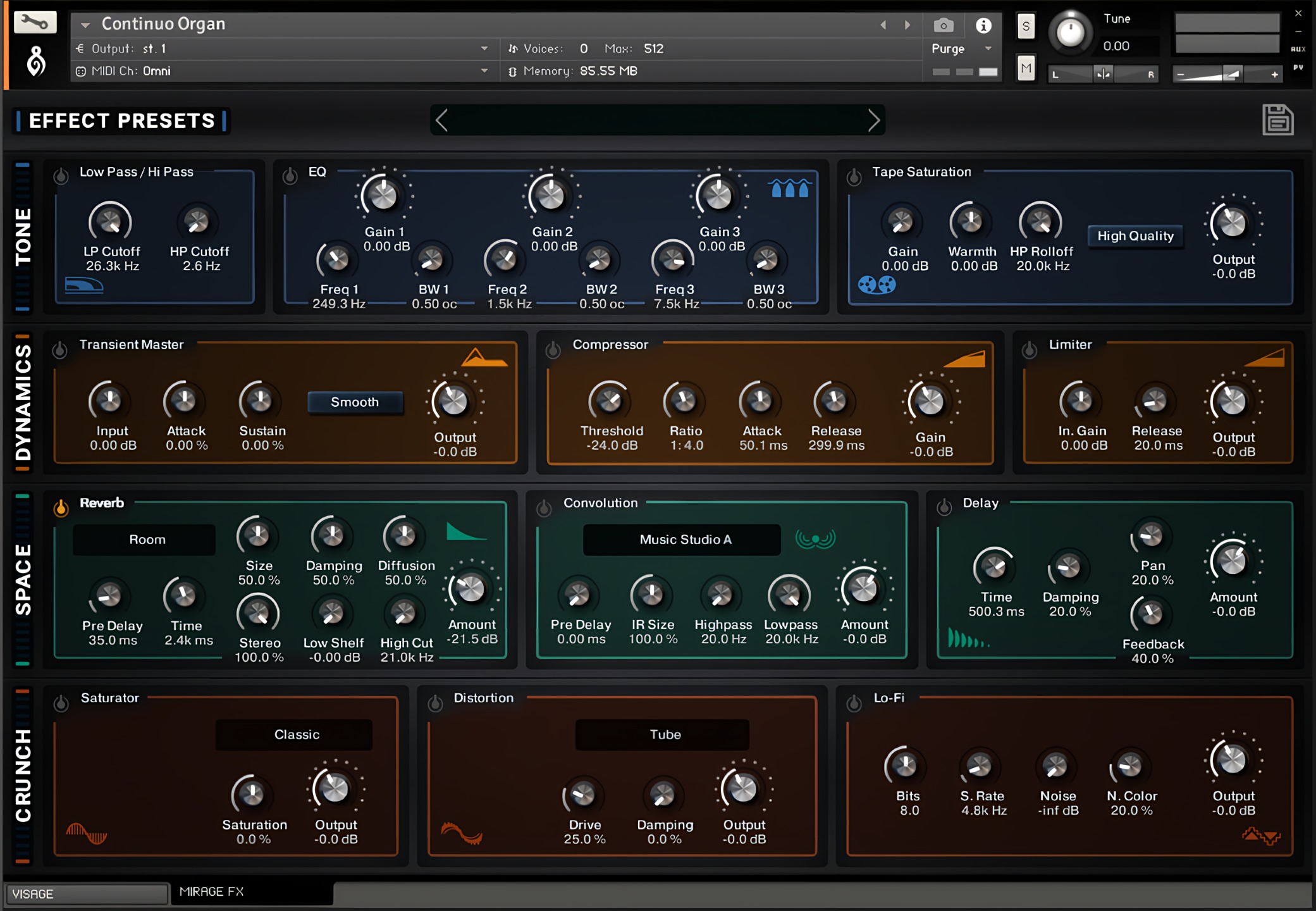
MIRAGE FX
Accessible through the second tab in every instrument, the Mirage FX system provides easy, organized access to Kontakt’s internal suite of effects. VISAGE lets you shape the vision of the sound as it exists, MIRAGE lets you twist and shift those sounds into something mix ready… or surreal!
Use an extensive selection of 38 Effect Presets by Versilian’s Simon Autenrieth, or create your own!

Tone
Control the timbre and frequency response through filters, 3-band EQ, and tape warmth.

Dynamics
Shape the instrument’s dynamic behavior with the Transient Master, compressor, and limiter.

Space
Put the instrument anywhere you want – studios, halls, even surreal landscapes, using reverb, convolution, and delay.

Crunch
Saturate, distort, or bitcrush the sound for scintillating resonances and overdriven effects.
Used In: